Hypothesis 1
If estimated commission and the price difference appear next to the quote, partners will use them during client talks.
Check: Concept testing with 6 users, focusing on utility and trust.
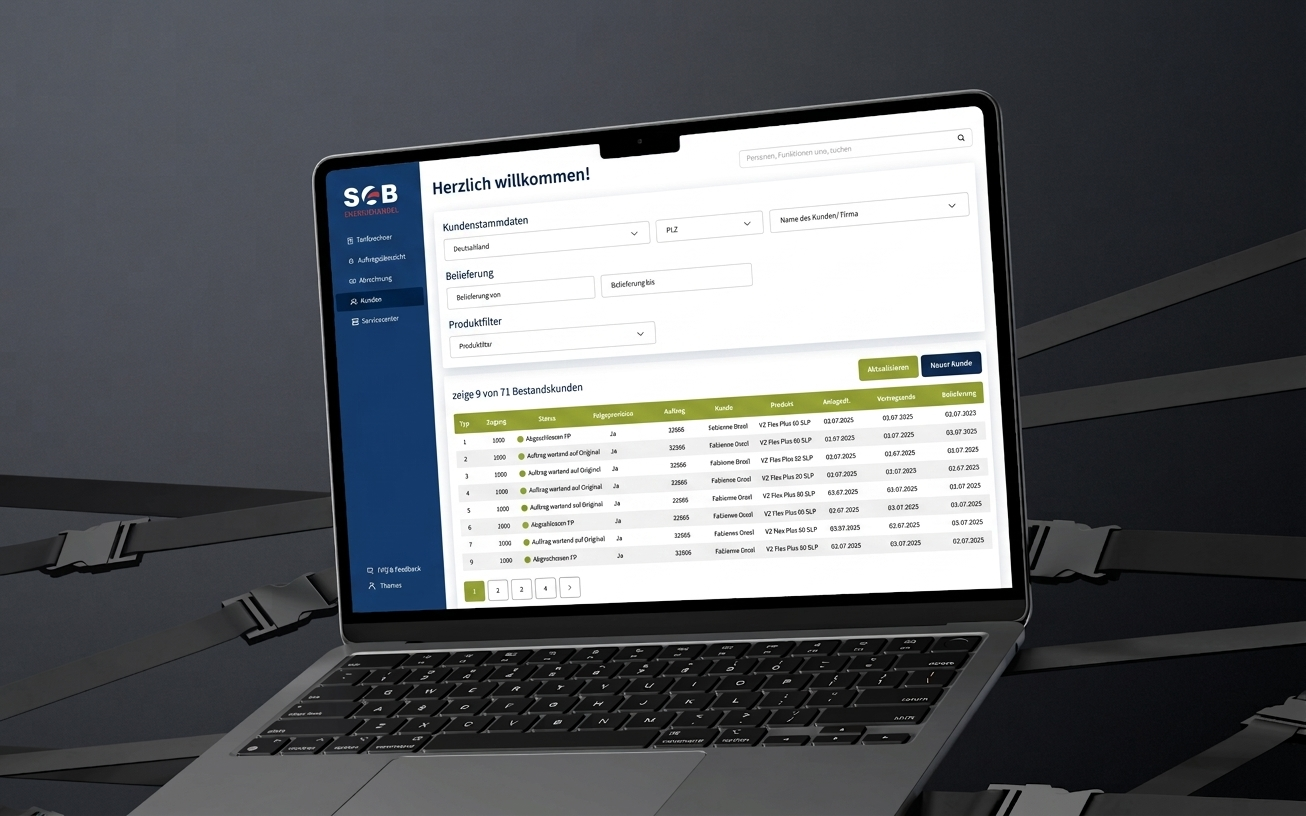
SGB Partner Portal is the daily workspace where sales partners calculate energy tariffs, submit contracts, and check commissions. The brief began with a visual refresh to match the new corporate identity. Feedback from Customer Service and Operations also revealed crowded layouts, inconsistent UI, and key functions buried in navigation.
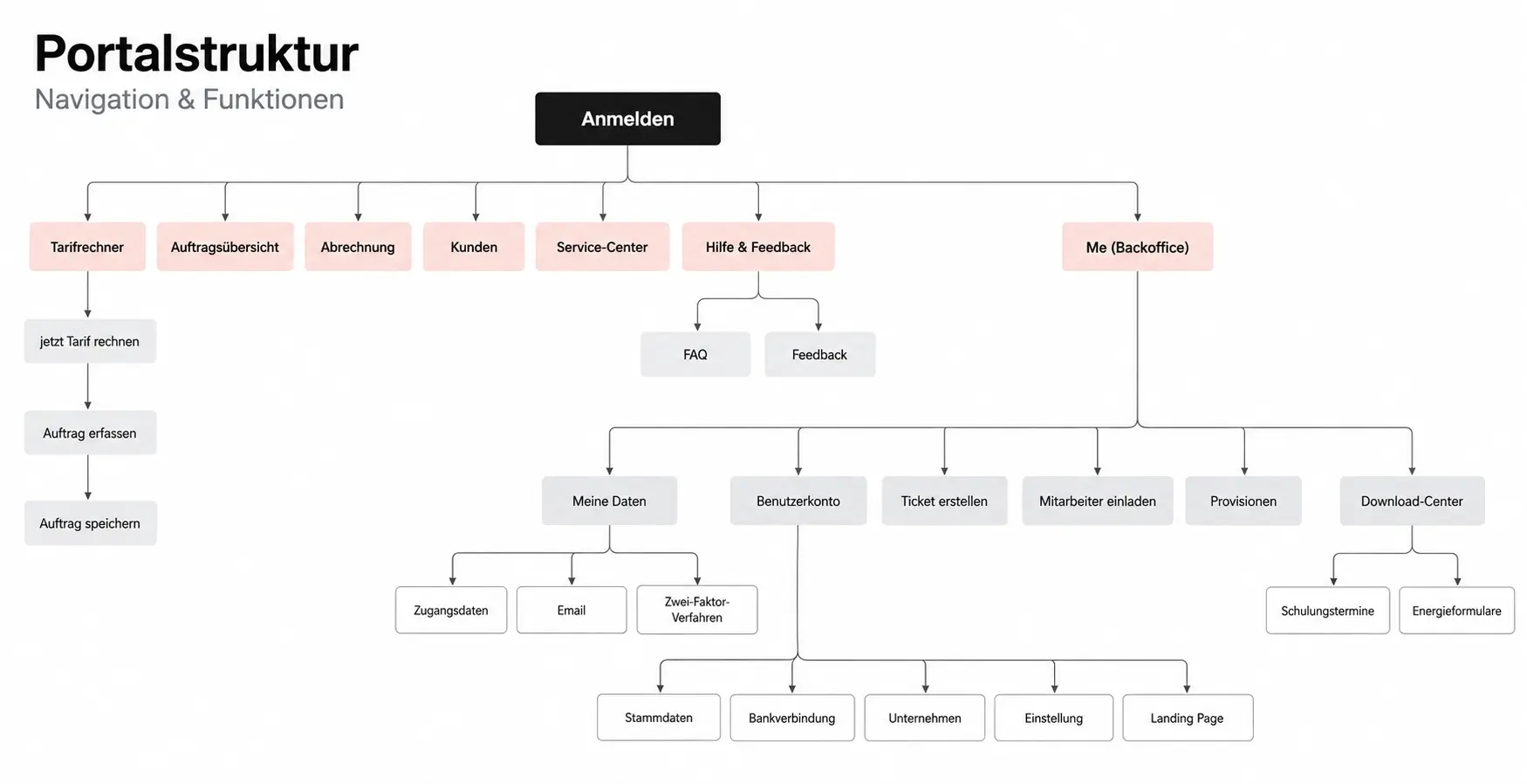
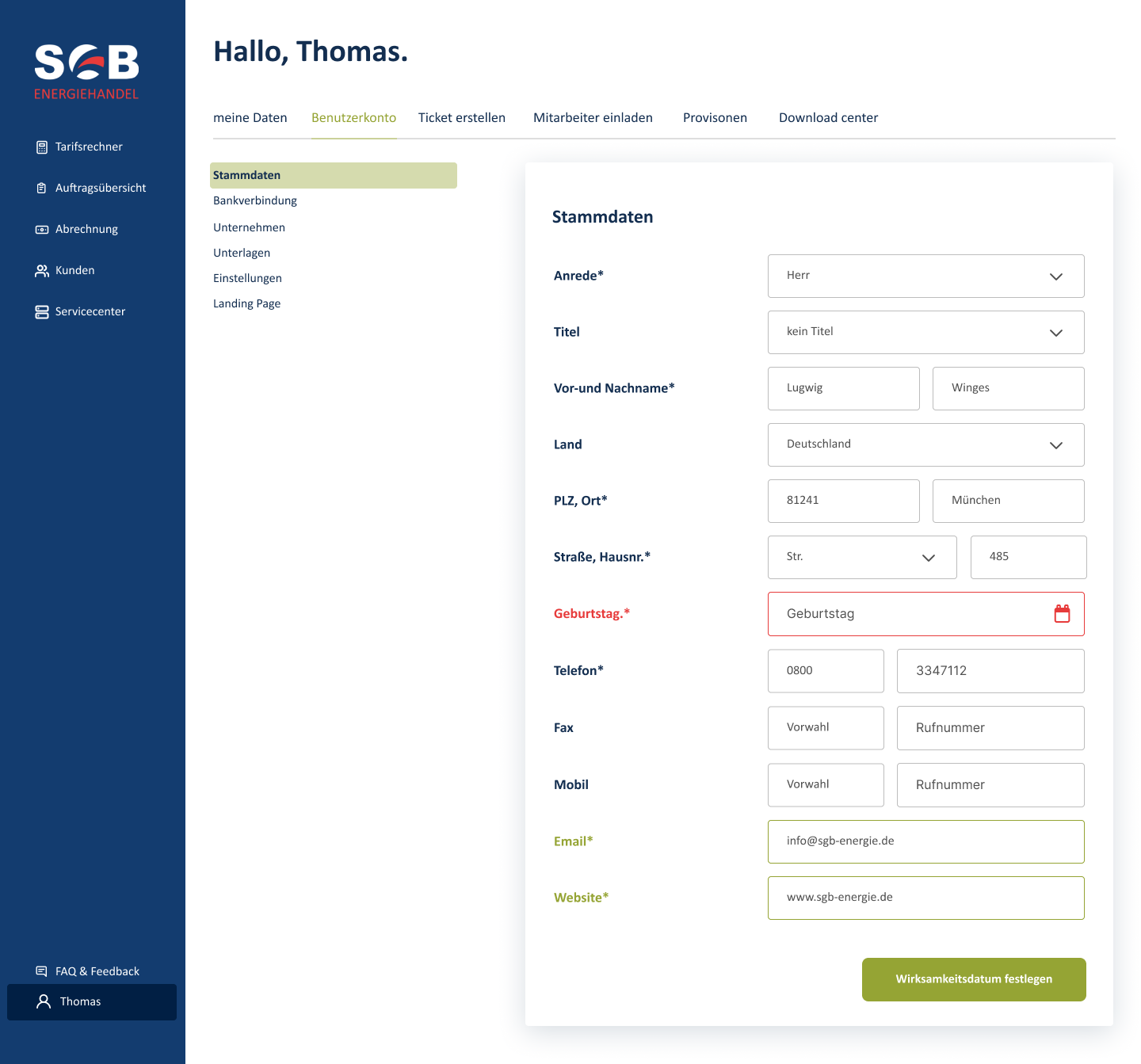
My focus was to make the existing portal clearer and easier to navigate: update the UI, strengthen the information hierarchy, and replace the growing Backoffice dropdown with a structured sidebar and account tabs. The redesign retained established business workflows and worked within the release’s technical constraints.
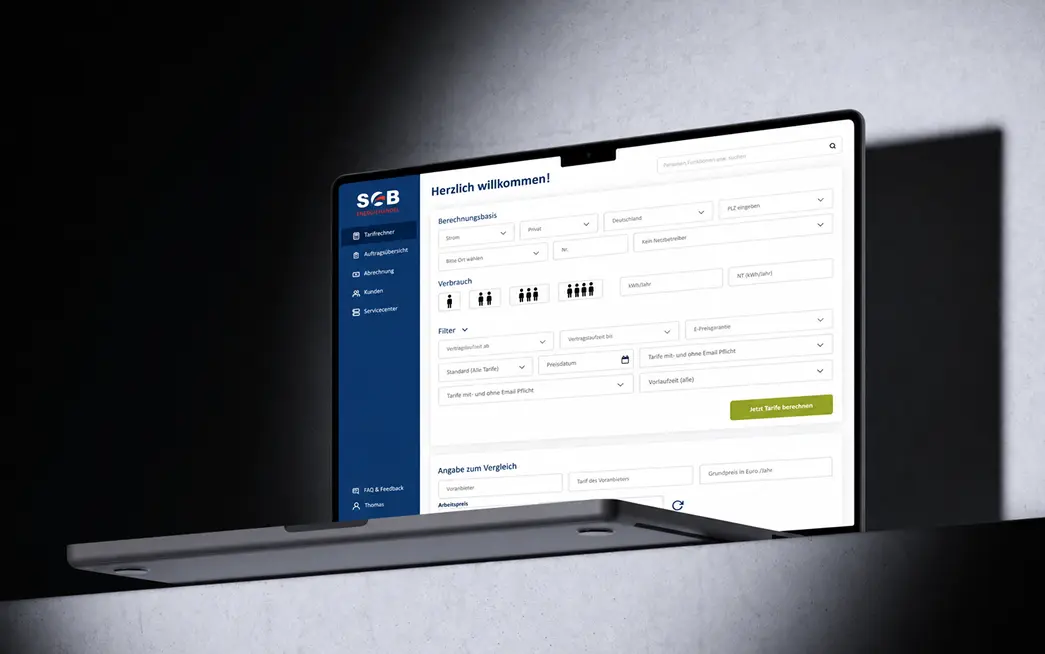
When partners negotiate prices with clients, they cannot see their estimated commission, nor can they view the price difference compared to the client’s current energy provider.
To understand the core issue within constraints, I conducted targeted micro-interviews with 6 participants: 4 external partners and 2 Customer Service colleagues. Each interview lasted 15 minutes and covered four core questions.
Interviews with partners, finance staff, and internal teams pointed to three priorities:
All three insights point to a crucial moment: the live sales conversation with the customer. I mapped the journey from deal preparation to post-sale commission tracking to identify where partners lose time and confidence.
| Stage | Prepare | Quote | Persuade | Capture | Afterwards |
|---|---|---|---|---|---|
| Doing | Gather material | Calculate the price | Explain the difference | Fill in the contract | Check the commission |
| Thinking | Is this deal worth it? | How much cheaper is it? | Will the customer hesitate? | Don’t make a mistake | Is the money right? |
| Pain | Does not know what they earn | Current price calculated by hand | Number not at hand | Long form | Ask Finance |
| Opportunity | Estimated commission | Show comparison directly | One number to say aloud | Grouped form | Commission one click away |
If estimated commission and the price difference appear next to the quote, partners will use them during client talks.
Check: Concept testing with 6 users, focusing on utility and trust.
If commission information is easier to find, Customer Service and Finance will receive fewer commission-related questions.
Check: Compare commission-related tickets and requests before and after launch.
I mapped the existing modules and sub-pages before changing navigation so that no critical functions would be omitted. The audit documented eight Backoffice items, three list-view variations, and approximately 29 input fields on one tariff-calculator screen.
These counts describe system complexity, not user behaviour. A high field count alone does not justify removing necessary business inputs. The synthesis focused on logical grouping, relationship mapping, and visual consistency.
For example, 9 out of 10 error messages shown at the top of an account page actually referred to fields on a different tab.
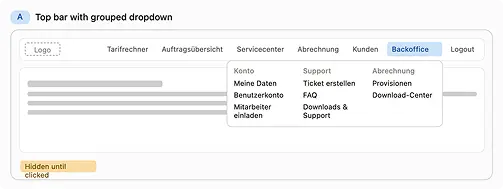
Problem: Eight Backoffice functions were hidden within an ungrouped dropdown that only appeared after a click. The list grew with every release.
I sketched three structural alternatives:
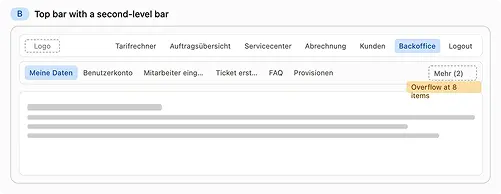
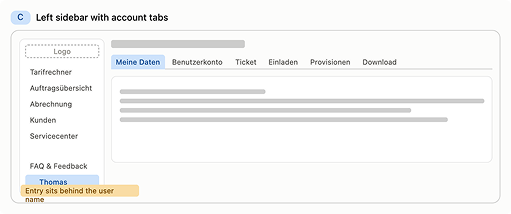
I chose Option C: a fixed left sidebar with account functions as tabs. It accommodates incoming modules without requiring a structural redesign, while consistent active states help partners keep their place across deep sub-pages.
Moving account settings behind the user profile reduces discoverability for occasional tasks. An explicit label beside the user name would reduce this risk, and is the first refinement I would test.
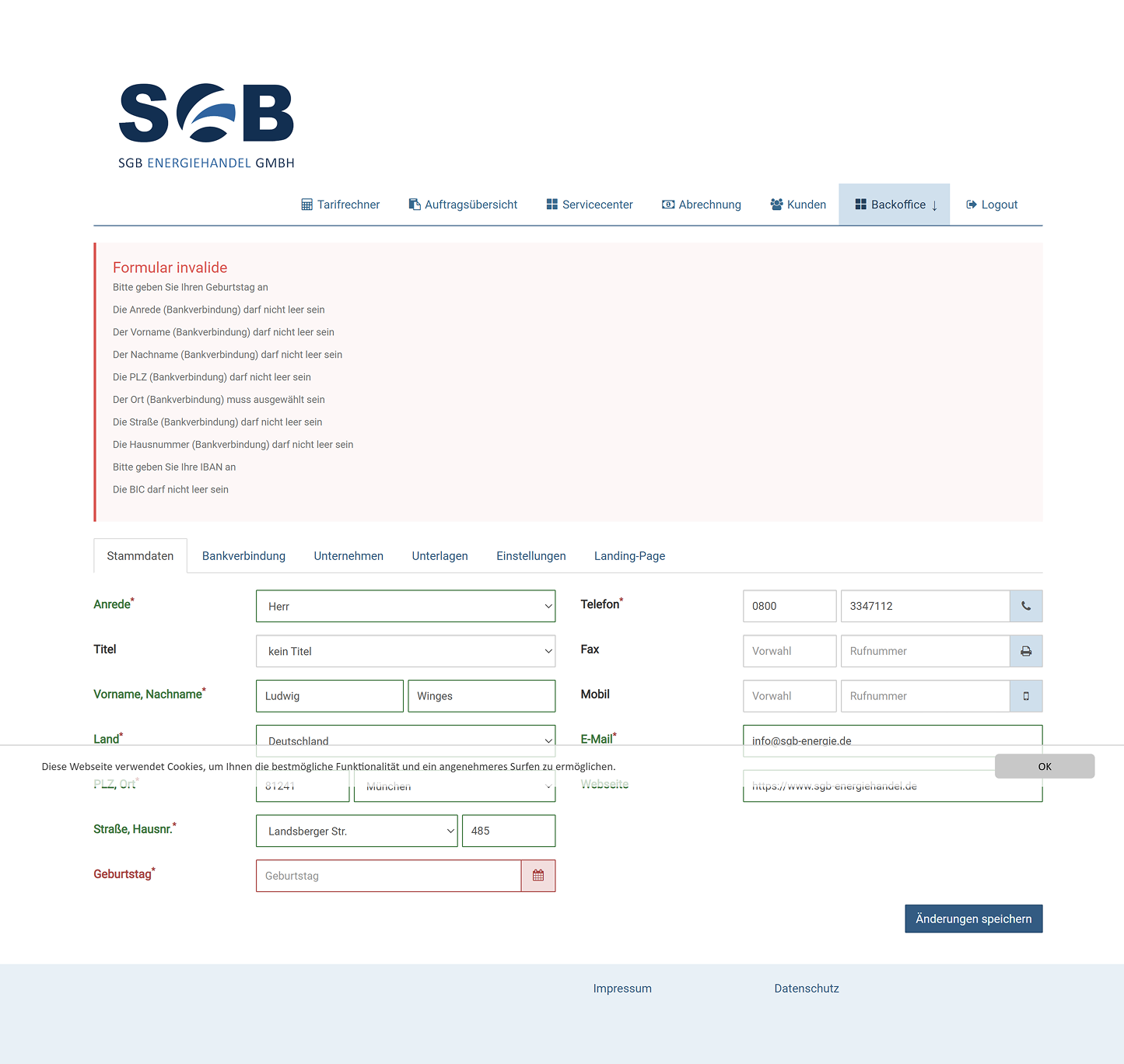
Proposal: Put estimated commission and the provider price difference directly next to the quote, inside the tariff calculator and order workflow.
Constraint: IT architecture reviews revealed that the commission calculation engine and quoting service lacked an active data integration interface. Building one was outside the current development window.
Shipped solution: Consolidate commissions into one of six persistent tabs within the Account area. Move filters from a side drawer to a top toolbar and retain PDF/CSV exports.
This reduces click depth and makes commission information easier to find. It does not resolve the original need for inline commission estimates during a live quote.
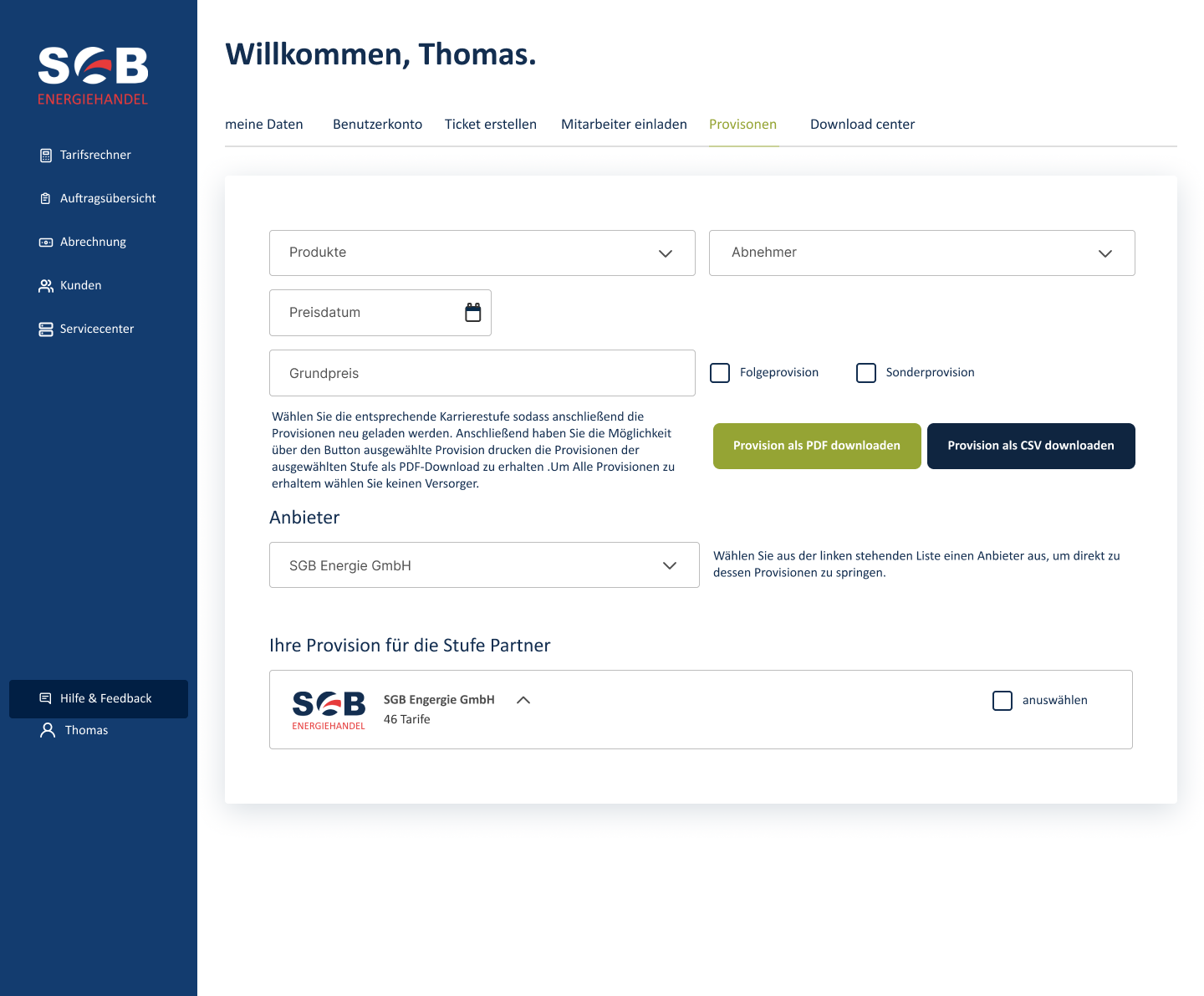
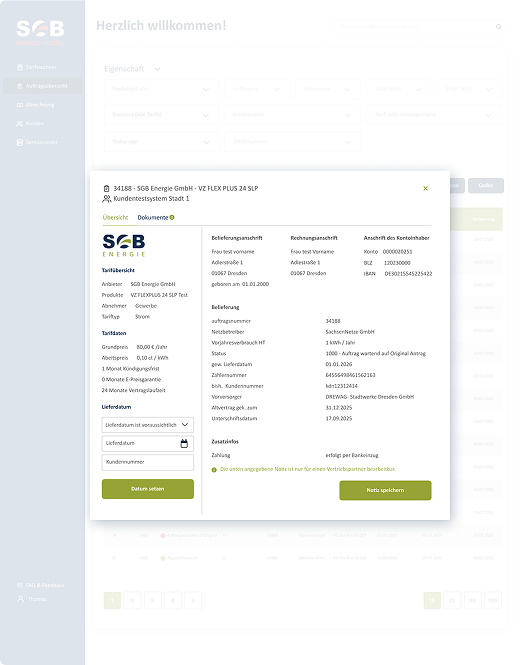
I used Useberry for contextual questions and task-based usability evaluation, comparing the legacy and updated interface concepts. Tasks covered finding commission rates, inviting colleagues, submitting support tickets, updating banking data, and returning to the order page.
These results describe the small validation study, rather than a measured performance improvement across the entire partner population.
Participants also asked for an inline comparison card showing estimated annual commission and spread next to prices, clearly labelled as an estimate, with a one-click privacy toggle for client-facing meetings.
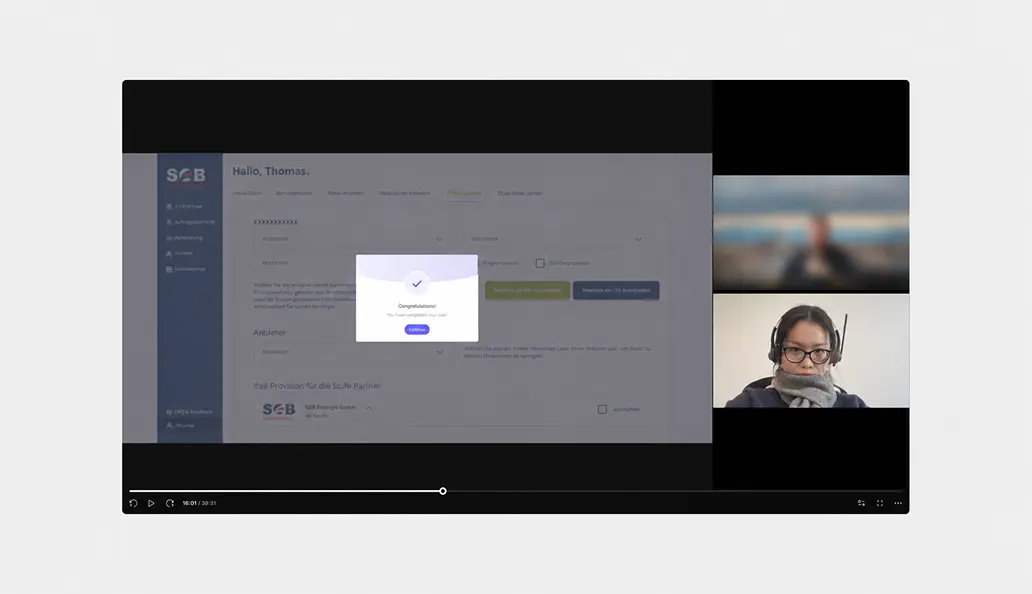
The updated navigation made commission information easier to access. Feedback also reinforced the need for contextual estimates during sales conversations—the part of the original problem that still depends on backend integration.
“Commission information is much easier to find now. We’ve seen far fewer commission-related questions coming through to Finance and Customer Service.”
— Finance colleague
“The tariff comparisons are easier to use and give us a clear reference when discussing options with customers.”
— Sales partner